
Cracking the code on localizing an image with embedded text gets trickier when the picture is already out in the digital wild. In this blog post, we’ll unravel the challenges of adapting text within images, especially those that are already live on the web. Join me and my friend Aaron Long (MIIS ’25 TLM) as we explore strategies to navigate these hurdles and make target content speak the language of a diverse audience, breaking down barriers and broadening its reach.
STEP 1 – Text Extraction
Use graphic design software like Photoshop to carefully remove the existing text from images while preserving the background.
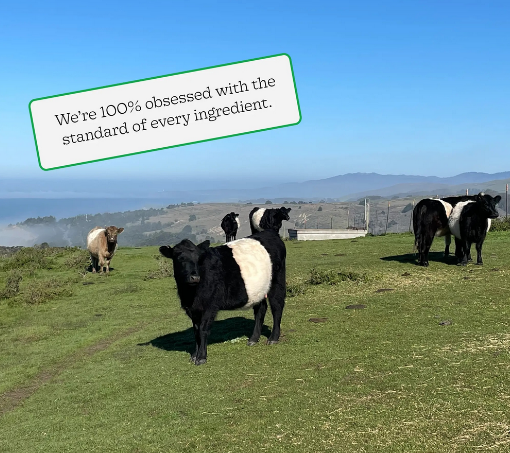

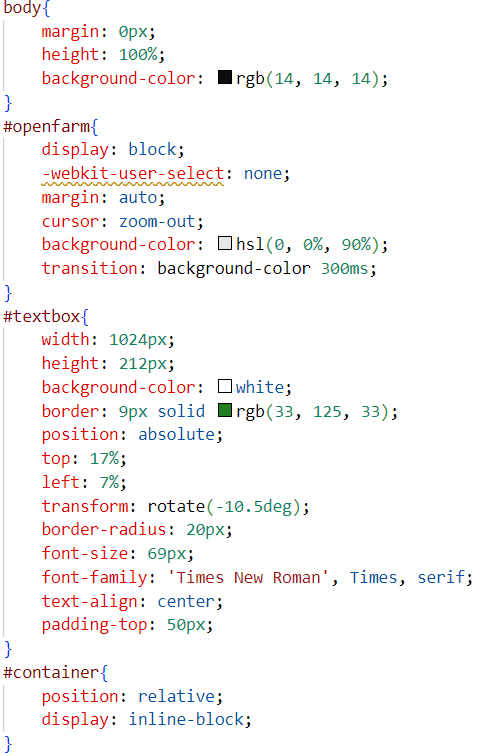
STEP 2 – Recreating CSS and HTML in Visual Studio Code
Tweak CSS and find the elements that need localizing in the original HTML. Here we made the new shape opaque so that we could easily compare it to the original.
STEP 3 – Translate and QA
Translate the texts into target language and conduct QA process.
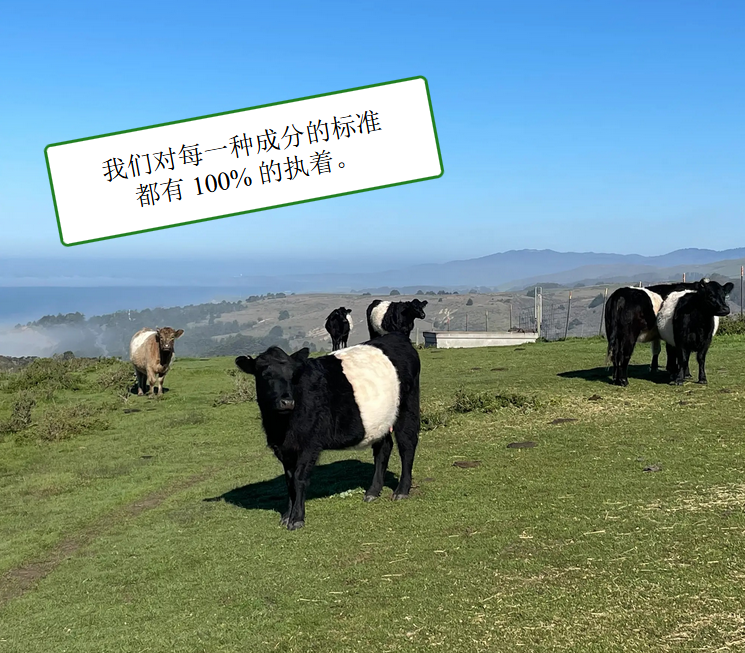
Localizing existing pictures on the internet has become significantly easier with the help of AI. Automated translation tools can quickly and accurately translate text within images, while AI-powered image recognition identifies and extracts this text with precision. Advanced AI tools also allow for seamless text overlay and editing, preserving the original design and aesthetics. This process is now much more efficient and faster than manual methods, reducing time and effort. Additionally, AI ensures consistent translations across multiple images, enhancing the overall quality and coherence of localized content.
When localizing images, focusing on quality assurance (QA) is essential to ensure the accuracy, cultural relevance, and overall effectiveness of your content. Although AI tools make translating and editing images faster and easier, they aren’t perfect. QA is crucial for catching translation errors that could distort your message or convey incorrect information. It also ensures that your localized images are culturally appropriate, preventing potential misunderstandings or offenses in different regions. Additionally, QA helps maintain the visual design and layout, ensuring they remain consistent and aesthetically pleasing after text modifications. By prioritizing QA, you ensure that your localized content retains its original impact and quality, delivering a seamless and engaging experience for users around the globe.
All in all, it was a fun project for me and my friend Aaron to work on in our own times, and it was a great practice to prepare us both for our future work duties!